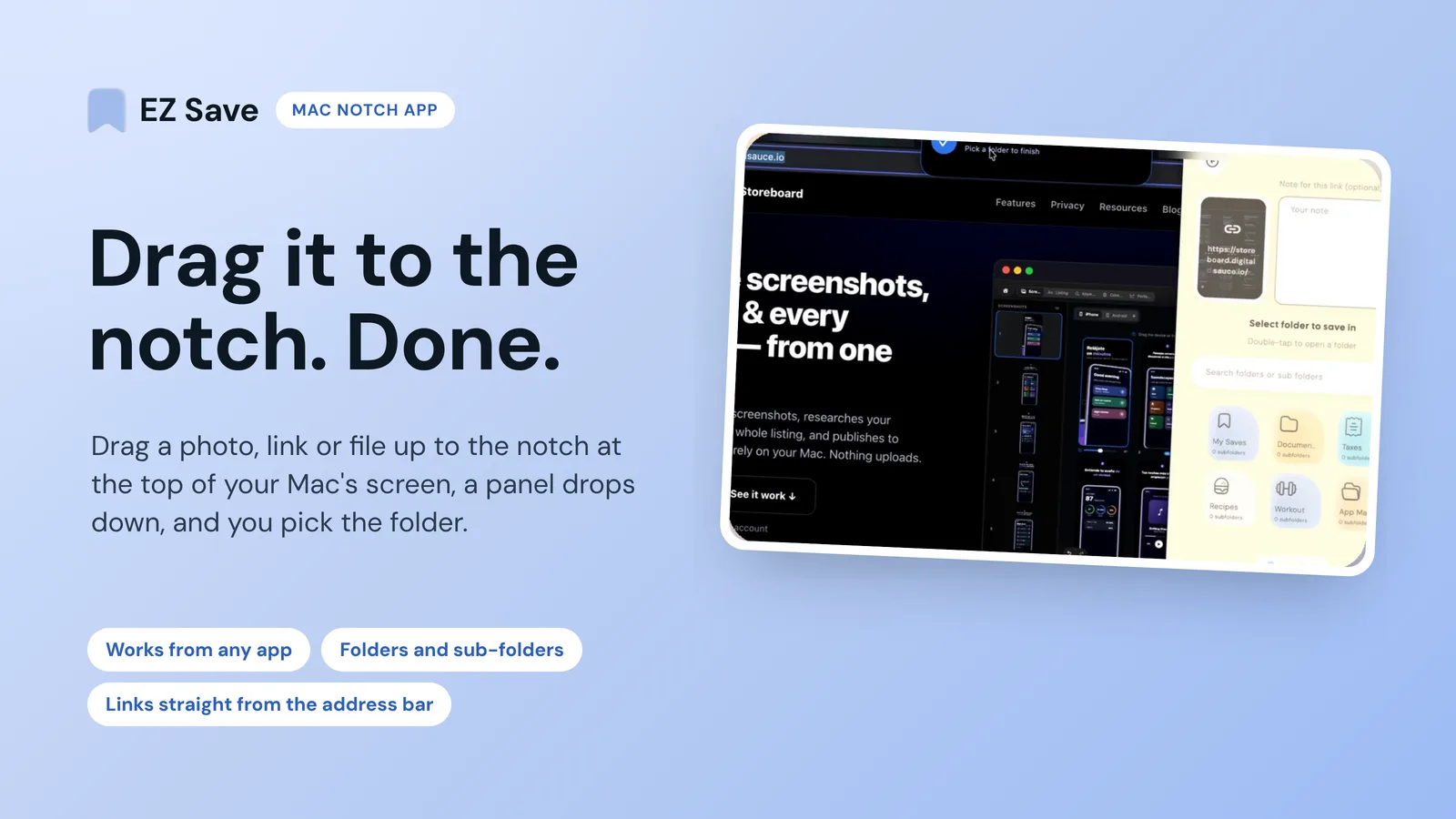
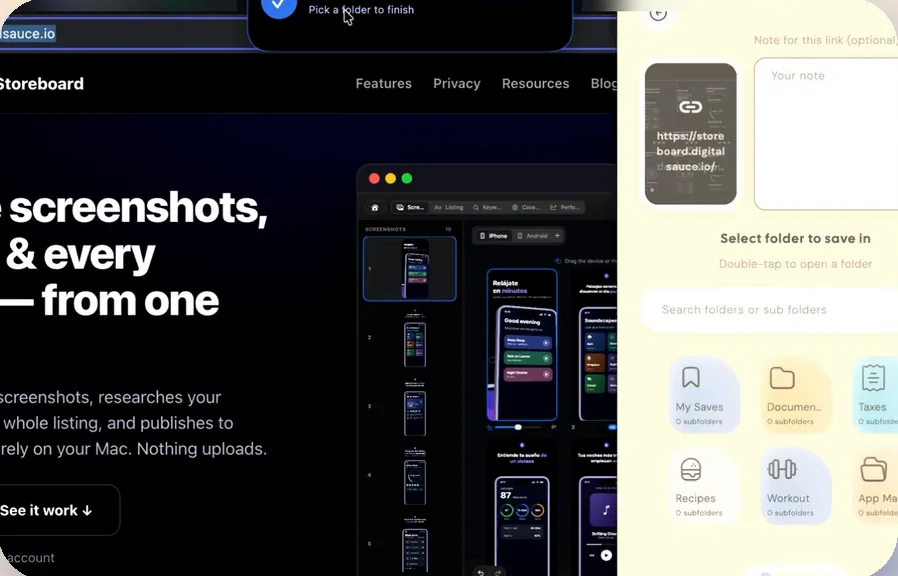
EZ Save is a Mac notch app for saving things you want to keep: drag a photo, link or file up to the notch at the top of your Mac's screen, a panel drops down, and you choose the folder it's saved in. It works from any app, including your browser (you can drag a link straight from the address bar), Finder and Photos, on any Mac, and the notch feature is free on every plan.
I make EZ Save, so this is a builder's view, not a neutral review. Everything about EZ Save comes from its website and App Store listing, and everything about Dropover and Yoink from their own websites and Mac App Store listings, all opened on 4 November 2026.
What does EZ Save do in your Mac's notch?
The notch is the camera housing at the top of the screen on a MacBook Air with a Liquid Retina display or a MacBook Pro with a Liquid Retina XDR display, as Apple describes it. Most of the time it's dead space. EZ Save's native Mac app turns it into a drop target. You don't need a notch, though: EZ Save works on all Macs, including desktop Macs and external displays such as an Apple Studio Display. It works the same way on every Mac: nothing sits at the top of the screen until you drag something near the top middle, then a black, pill-shaped drop zone expands from that spot (the notch area, if your Mac has one).
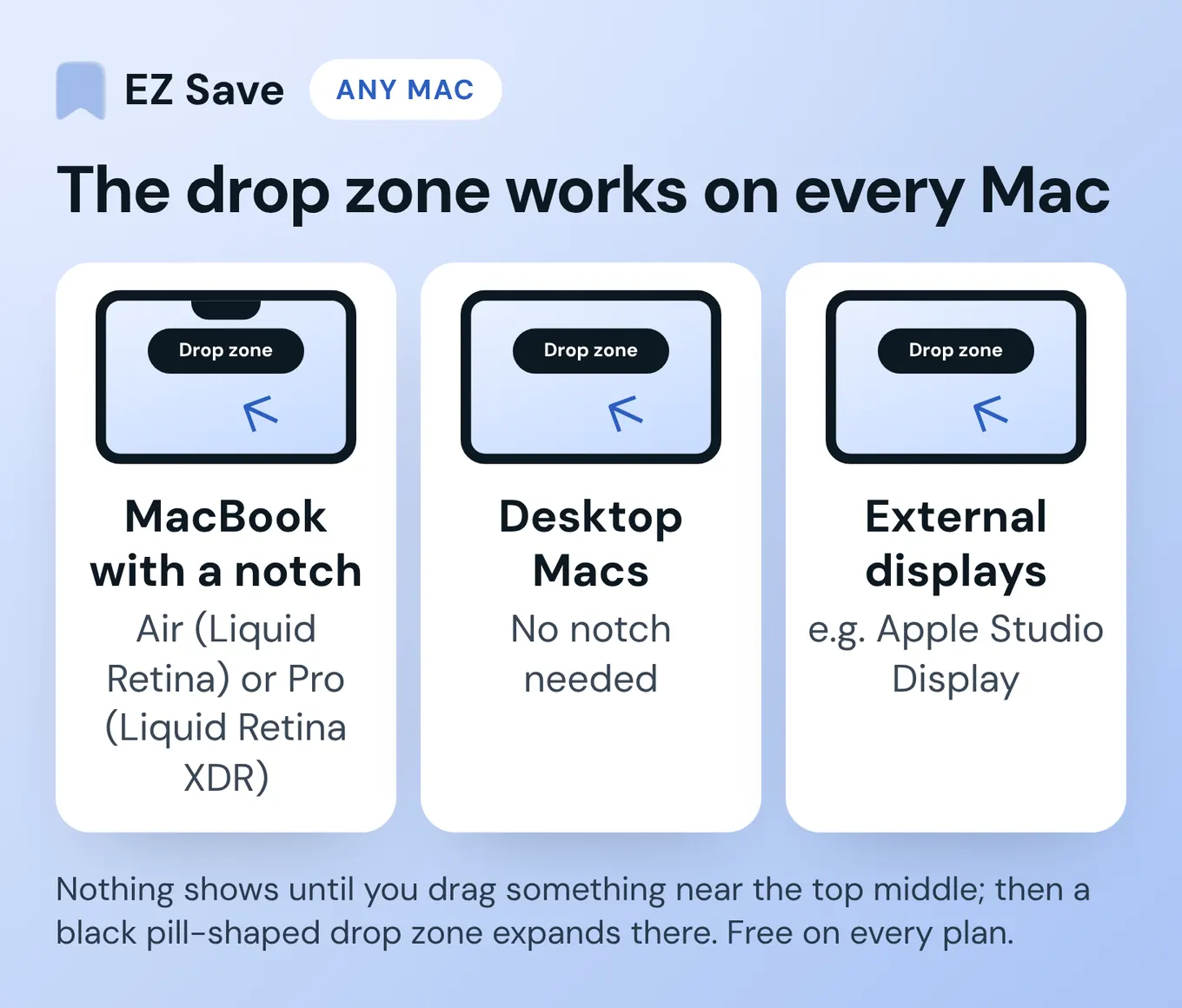
- Drag up, drop in: drag a photo, a web link or a file towards the notch and EZ Save's panel drops down from it.
- Pick the folder there and then: choose a folder or sub-folder from the panel, so the thing lands where it belongs, not in your Downloads folder.
- From any app: your browser, Finder, Photos and social sites all work, because it's ordinary drag and drop.
- Links from the address bar: drag the link straight out of your browser's address bar to the notch to save the page you're on.
- Free on every plan, on any Mac, notch or not.
How do you save something from the notch?
- Get EZ Save for Mac from the Mac App Store. It's the same App Store listing as the iPhone and iPad app.
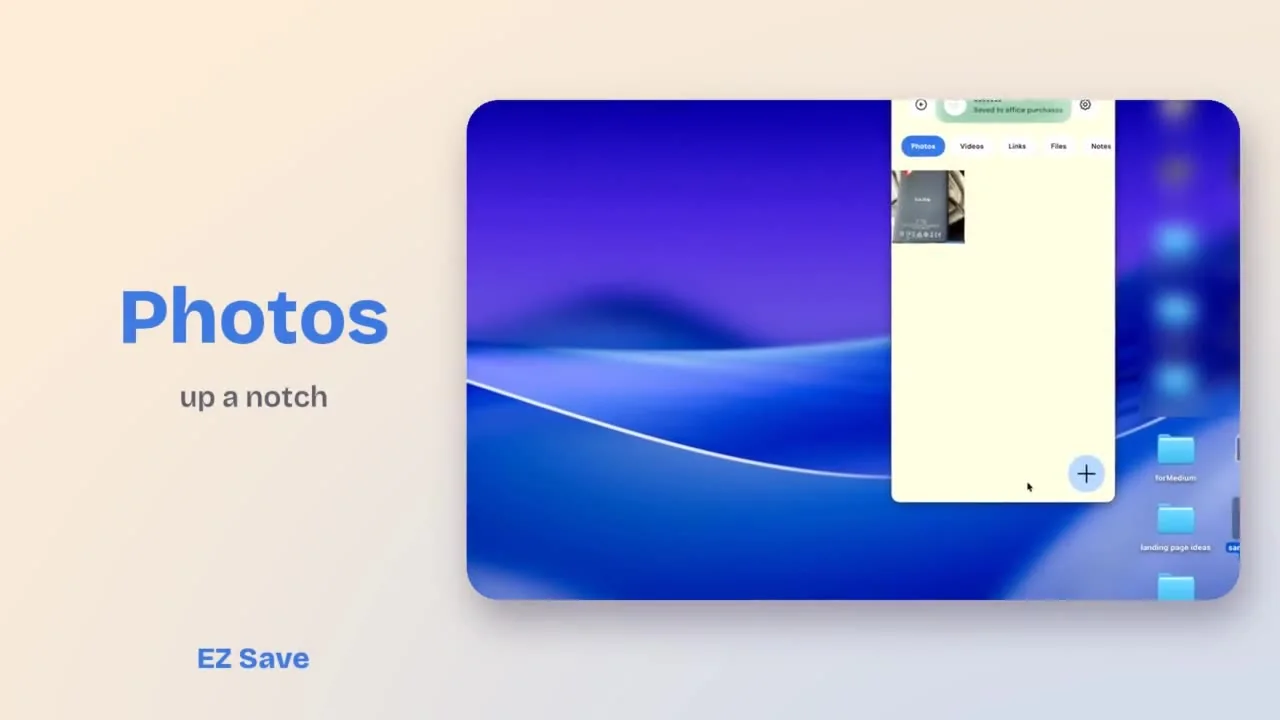
- Drag the thing you want to keep, such as a photo from Photos, a file from Finder or a link from your browser's address bar, up to the top middle of the screen, where the notch is. A black drop zone expands there as you get close; on a Mac without a notch it appears in the same place.
- Let go on the panel when it drops down, and pick the folder or sub-folder it belongs in.
- Find it later in EZ Save, where links, photos, videos, documents and notes sit in tabs inside each folder.
If you have EZ Save Pro and turn on iCloud sync, the same library appears on your iPhone and iPad. It syncs through your own iCloud account and is encrypted on your device before it leaves, so it never passes through a Digital Sauce server.

How does EZ Save compare with Dropover and Yoink?
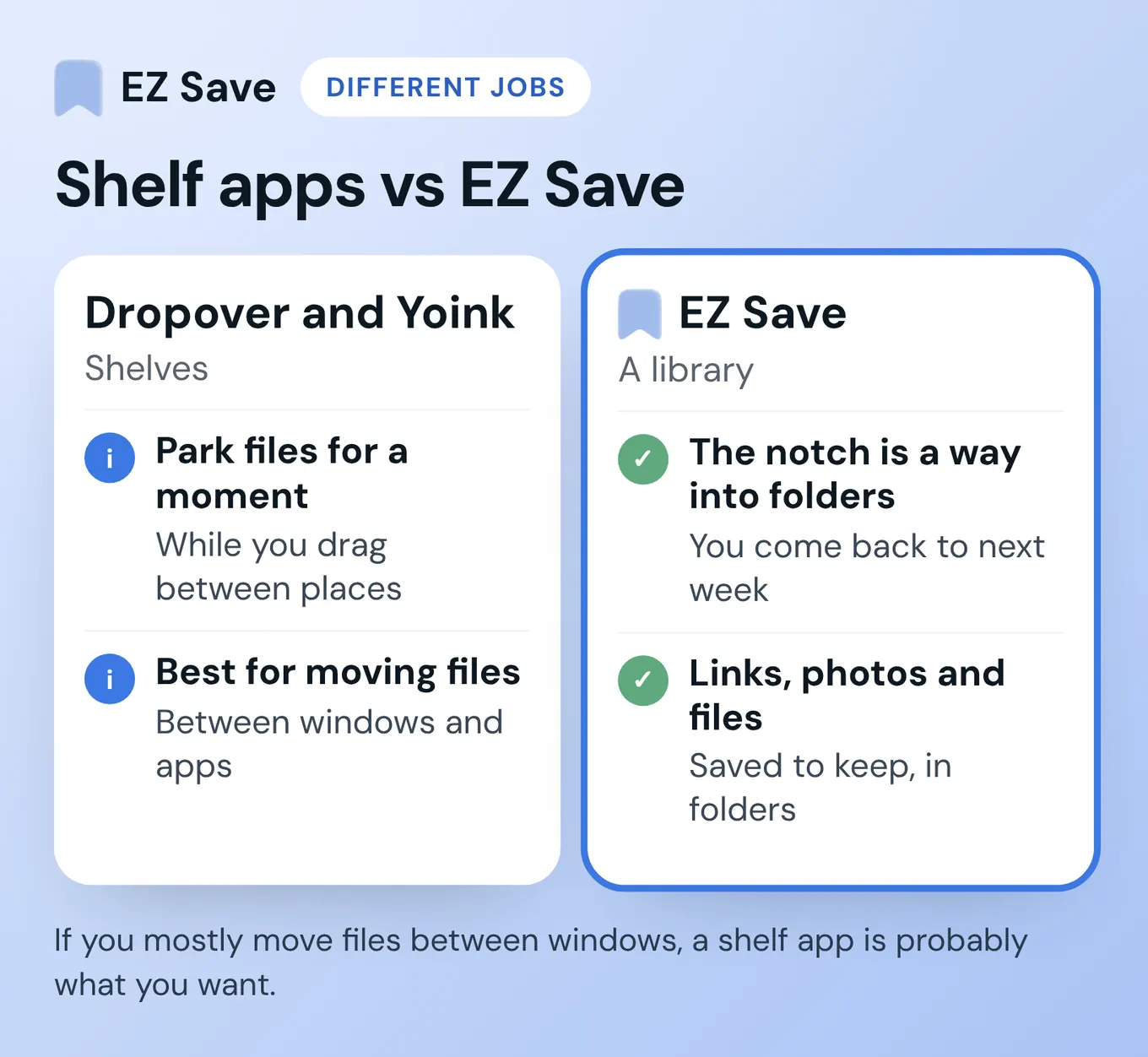
They do a different job. Dropover and Yoink are shelves: somewhere to park files for a moment while you drag them from one place to another. EZ Save is a library: the notch is a quick way into folders you'll come back to next week. If you mostly move files between windows, a shelf app is probably what you want.
| EZ Save | Dropover | Yoink | |
|---|---|---|---|
| What it's for | Saving links, photos and files into folders to keep | A temporary shelf for drag and drop | A temporary shelf for drag and drop |
| Notch | Drag to the notch, pick a folder | "Drop files onto the notch to create a new shelf" | Not listed; the shelf appears at the screen edge or your pointer |
| Price (as of Nov 2026) | Free; notch saving is free on every plan. Pro is a paid upgrade at US$2.99 a month or US$14.99 a year | Free with a 14-day full trial, then a 3-second wait before using the shelf; Dropover Pro is a one-time $7.99 (US Mac App Store) | $8.99 one-time (US Mac App Store; also 9,99 € / £8.99 on its website); free trial from its website |
| iPhone and iPad | Same app and library; syncs through your own iCloud with Pro | Mac only | Separate Yoink app for iPad and iPhone for handoff |
| Extra tricks | Folders and sub-folders, Face ID lock, five content types in one library | Cloud upload links, Quick Look, actions and scripts | Quick Look, Continuity Camera, handoff between devices |
Sources, read 4 November 2026: EZ Save's website and App Store listing; Dropover FAQ and Mac App Store listing; Yoink for Mac and its Mac App Store listing. Prices are US and can differ in your region.
Who is EZ Save's notch saving not for?
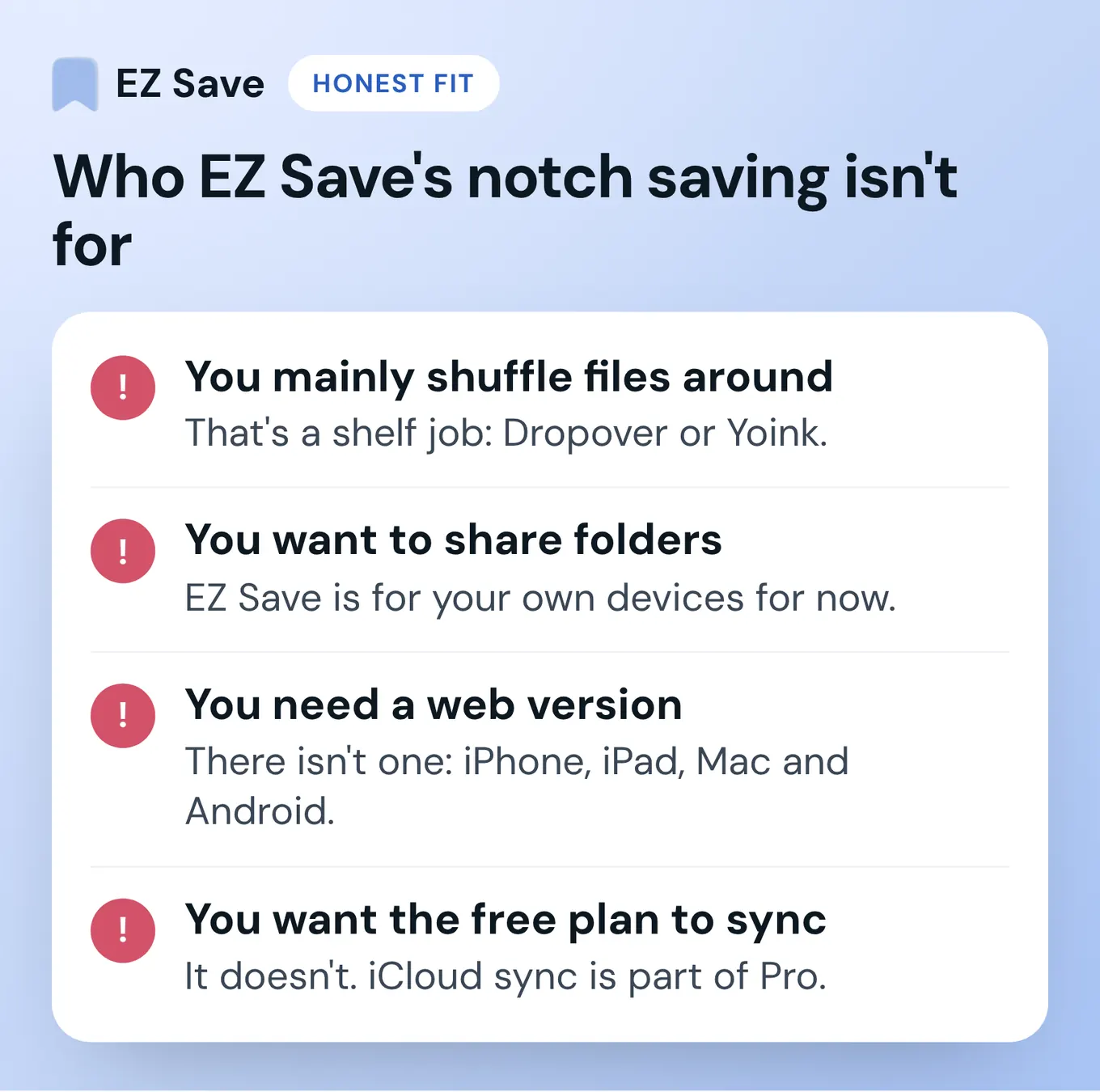
- You mainly shuffle files between folders and apps. That's a shelf job. Dropover or Yoink will suit you better.
- You want to share folders with other people. EZ Save is for your own devices for now; shared folders are coming soon.
- You need it in a web browser. There's no web version. EZ Save runs on iPhone, iPad, Mac and Android.
- You want the free plan to sync. It doesn't. iCloud sync across your devices is part of Pro.
What do people ask about EZ Save's Mac notch app?
Does EZ Save work on Macs without a notch?
Is EZ Save free on Mac?
Does EZ Save on Mac sync with iPhone?
Is EZ Save a drag-and-drop shelf like Dropover or Yoink?
Can I share an EZ Save folder with someone else?
Get EZ Save for Mac
Drag a photo, link or file to the notch on your Mac and pick the folder. Free on the Mac App Store, the same listing as iPhone and iPad.
Questions or corrections? Email development@digitalsauce.io.