
Save anything
instantly.
Save media, links and documents into any folder you want — it's like Pinterest, but for everything. Stored in your own iCloud and encrypted on your device before it leaves, so we never see your data.
4.6 on the App Store (5 ratings) · Free to start · No account required
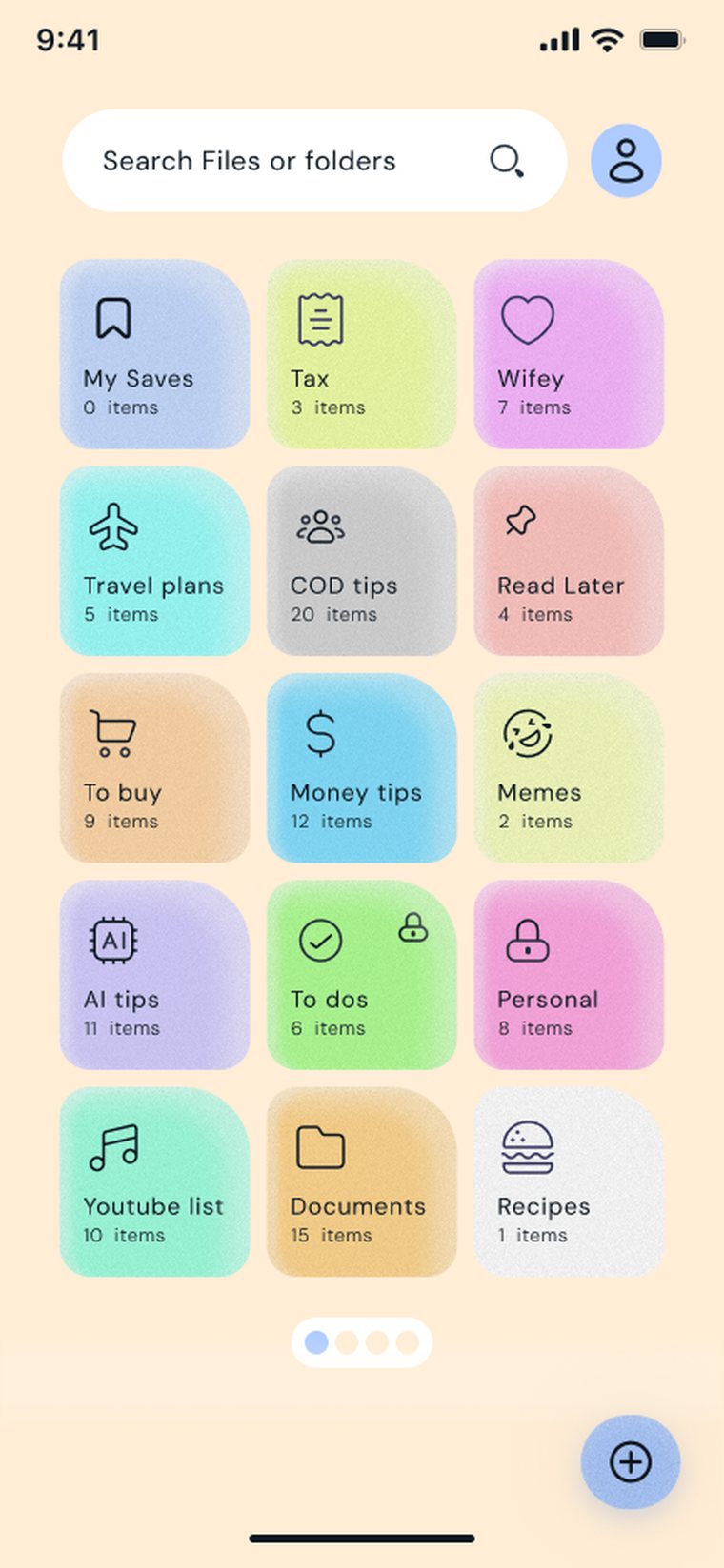
One tidy place for everything you save
Pocket meets Files — without handing your content to anyone else.
Save five kinds of things
Links, photos, videos, documents and notes all live together in one searchable library — not scattered across five different apps.
Stored in your own iCloud
Your library is stored in your own iCloud — Apple's private CloudKit database, tied to your Apple account. There's no developer server holding your files.
End-to-end encrypted
Turn on sync and your content is encrypted on your device before it leaves. The key stays in your keychain, not with us — so there's nothing for us to read.
Locked to you
Unlock with Face ID on any plan, and add an app PIN with Pro. Your PIN is only ever stored as a one-way hash on your device.
Duplicate checks
Saving something you already have? Pro spots duplicates on import so your folders stay clean — no more saving the same link twice.
Folders & smart sorting
Organise into unlimited folders, with optional AI suggestions that recommend the right folder for a new link — on by choice, off by default.
Save from anywhere
The Share Extension lets you save from Safari, Photos, Files and Mail in two taps. A widget keeps your recent saves on your home screen.
Make it yours
Custom app icons let you style EZ Save to fit your home screen — from the classic cream bookmark to darker variants.
Sync across devices
Turn on iCloud sync and your library follows you across iPhone, iPad and Mac, encrypted in transit and at rest inside your own Apple account.
Up and running in under a minute
Save it
Share a link, photo, video or document into EZ Save from any app — or add it straight from the library.
Sort it
Drop it into a folder, or let an optional AI suggestion pick the best one. Rename, recolour and rearrange anytime.
Lock it
Set a PIN and Face ID, switch on encrypted iCloud sync, and your library is private and with you everywhere.
Thirty seconds, and you'll get it
The saving habit that stops things disappearing into your camera roll.
From scattered to sorted
Screenshots in the camera roll, links in Notes, tabs you'll never reopen. Here's the two-tap habit that replaces all of it.
- Tap share, pick EZ Save, choose a folder
- Links, photos, videos, documents and notes
- It lands in your library, not a company's feed
Saves from the apps you already use
Anywhere with a share button — Safari, Photos, Files, Messages and every social app you scroll.











App names and logos are trademarks of their respective owners. EZ Save is not affiliated with or endorsed by them.
Designed to feel effortless
From first launch to a tidy, colour-coded library.
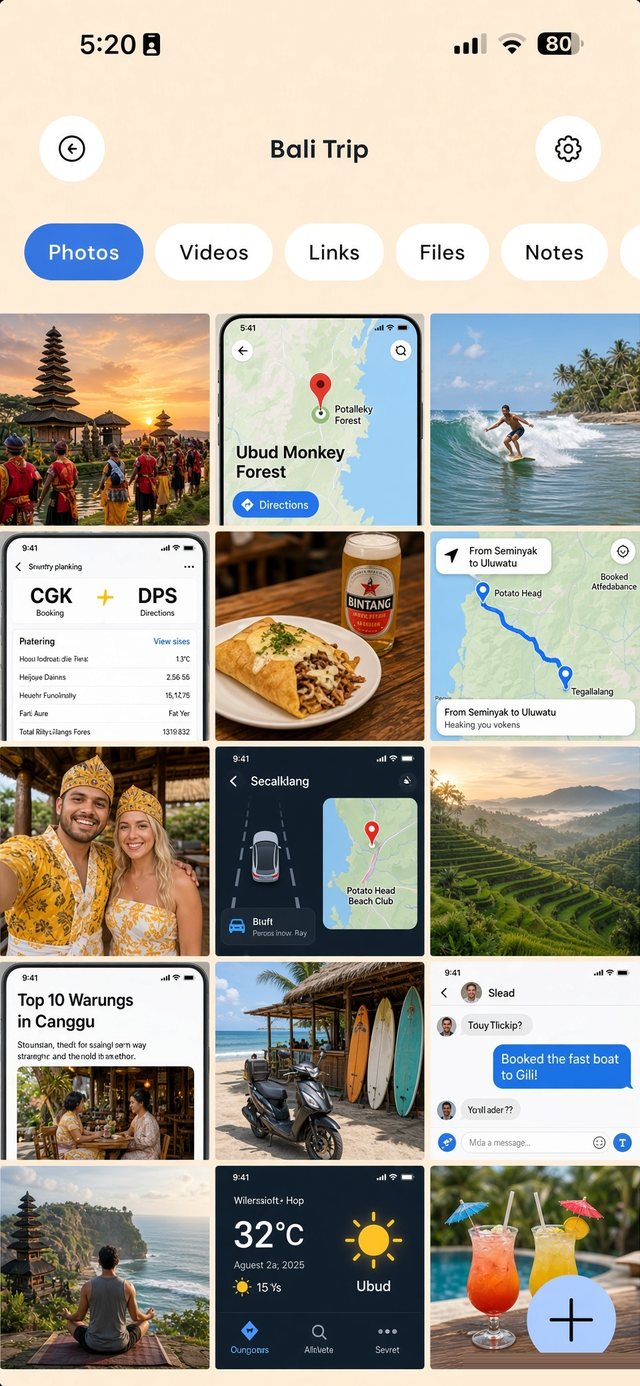
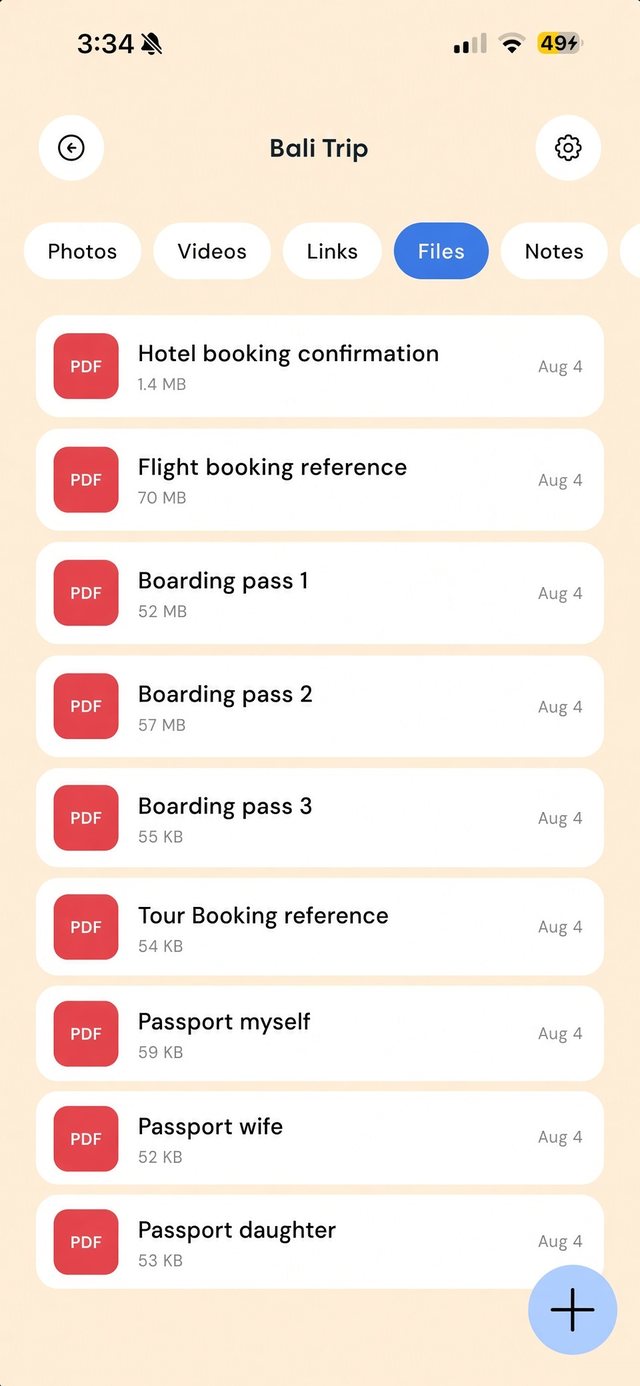
Everything in one folder
Photos, videos, links, files and notes — tabbed inside a single folder, so the booking PDF sits right beside the photos.
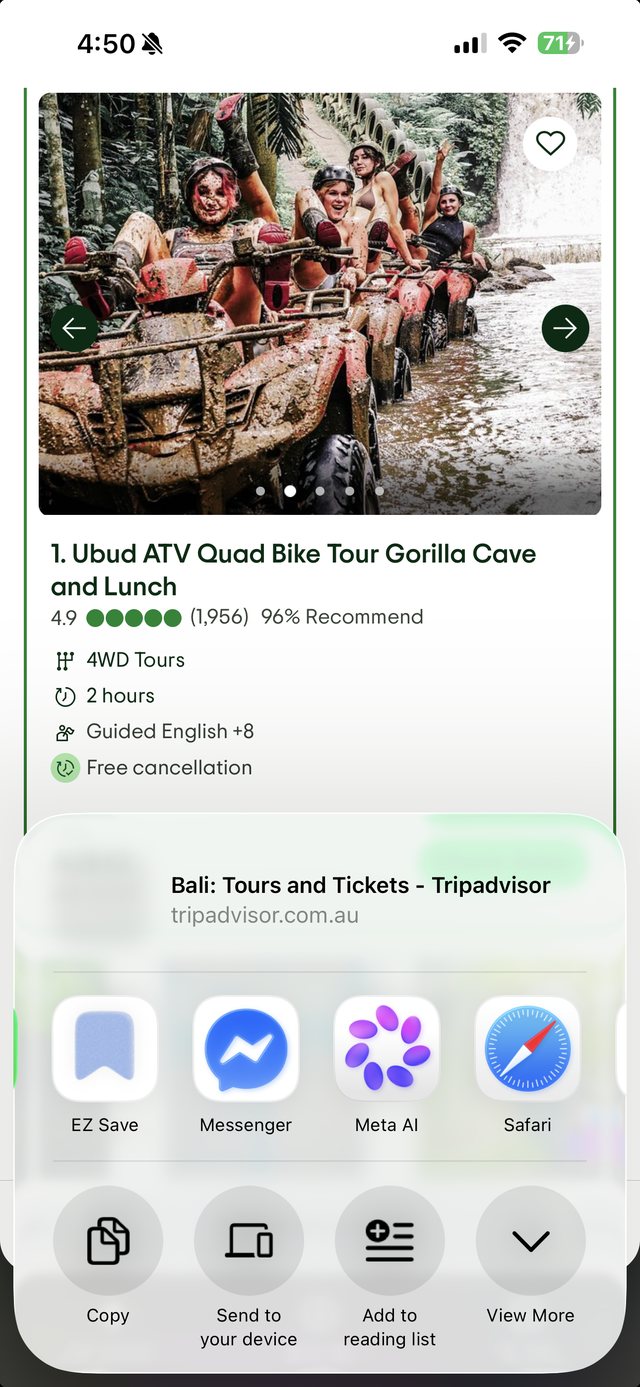
Save from any app
Tap share, pick EZ Save, choose a folder. Two taps, from anywhere.
We built EZ Save so we never see your content
Most "private" apps still keep your files on their servers. EZ Save doesn't have that server. Your content lives on your device and, if you choose, in your own iCloud — encrypted before it leaves, with a key only you hold.
- Encrypted on your device before it ever leaves it
- The encryption key stays on your device — we never hold it
- Your data stays in your own Apple iCloud account
- No developer-owned database of your files — nothing to breach
- No ads on Pro, and we never sell your personal information
- Use it fully offline — cloud sync is opt-in
Start free. Upgrade when you're ready.
No subscription needed to keep things tidy — Pro just removes the limits and the ads.
Free
- Save links, photos, videos, docs & notes
- Up to 3 folders
- Face ID unlock
- App PIN lock
- Unlimited folders
- iCloud sync across devices
- Smart folder suggestions
- Custom app icons
- Ad-free
Pro
- Everything in Free
- Face ID + App PIN lock
- Unlimited folders
- iCloud sync across devices
- Smart folder suggestions
- Duplicate checks on import
- Custom app icons
- Completely ad-free
Also available: $17.99 / year (with a 7-day free trial). Prices may vary by region and are billed through the App Store.
Good questions, answered
Can you see what I save?
Do I need an account?
What happens to my data if I stop paying?
Is there an Android version?
What is the AI folder suggestion feature?
Where exactly is my data stored?
Who's it for?
However you use it, EZ Save keeps what matters tidy and private.
Travellers
Every booking, document and idea in one folder per trip.
Freelancers
Receipts, invoices and statements sorted as you go.
Students
Readings, links and slides grouped by subject.
Privacy-first
Sensitive files locked to you, in your own iCloud.
Creators
Moodboards, references and reels, sorted by project.
Home cooks
Every recipe and meal idea in one digital cookbook.
House hunters
Listings, floor plans and docs, one folder per place.
Job seekers
CVs, job links and notes, a folder per application.
Weddings
Venues, vendors and inspiration, all in one place.
Fitness
Workouts, recipes and progress, all in one library.
Small business
Receipts, contracts and brand assets, sorted.
Parents
School forms, records and docs, a folder per child.
Shoppers
Wishlists and gift ideas, ready when you buy.
DIYers
Plans, tutorials and measurements per project.
Pet owners
Vet records and insurance, a folder per pet.
Car owners
Service history and papers, always to hand.
Your private library is waiting
Download EZ Save free on the App Store and start saving in seconds. Upgrade to Pro whenever you like.