
Wishlists and gift ideas, all in one place
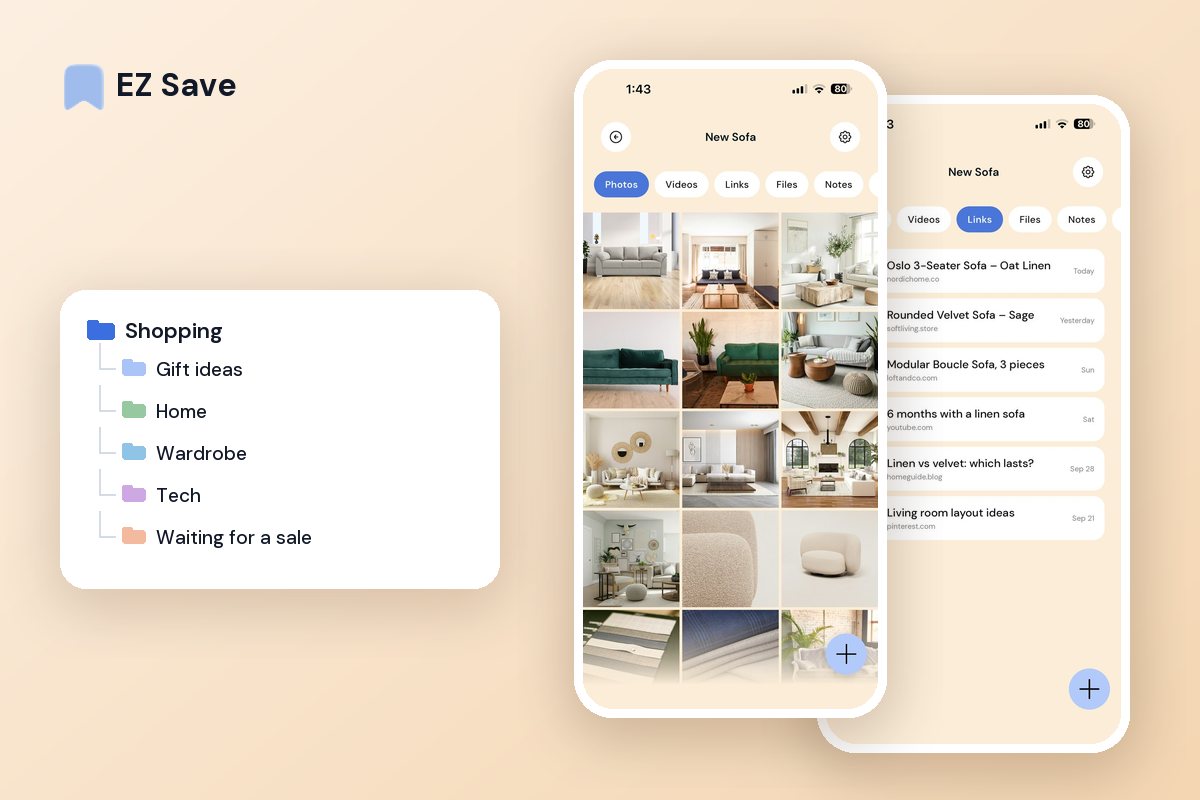
Products you are considering, gift ideas for everyone, and the size chart you screenshotted — keep it all in one private list instead of 40 open tabs.
Shopping research disappears fast
- Product links are lost among a hundred tabs
- Gift ideas are scattered across chats and screenshots
- You cannot compare options side by side
- The sale ends before you find the link again
- Size charts and reviews live in your camera roll
A list for every occasion
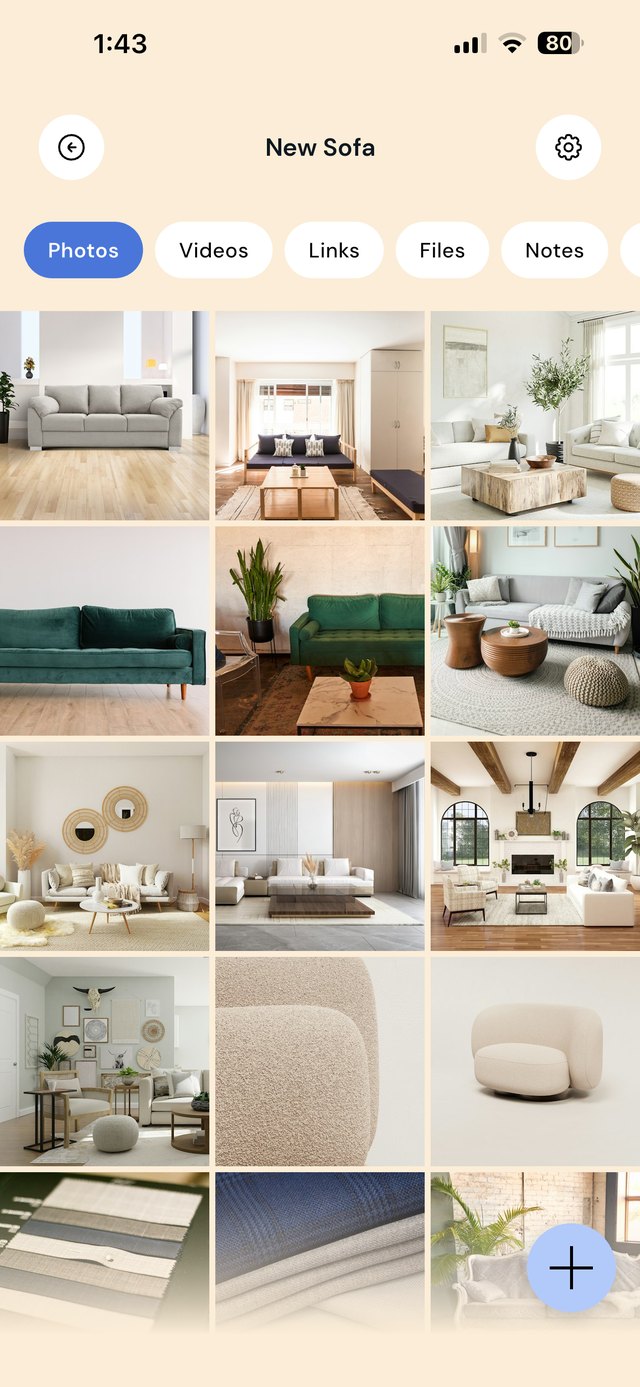
Keep folders for birthdays, Christmas, the house, or things you are saving up for. Save the product page, a screenshot of the size chart and your notes together, so you can decide properly when it is time to buy.
A wishlist structure that works across every store
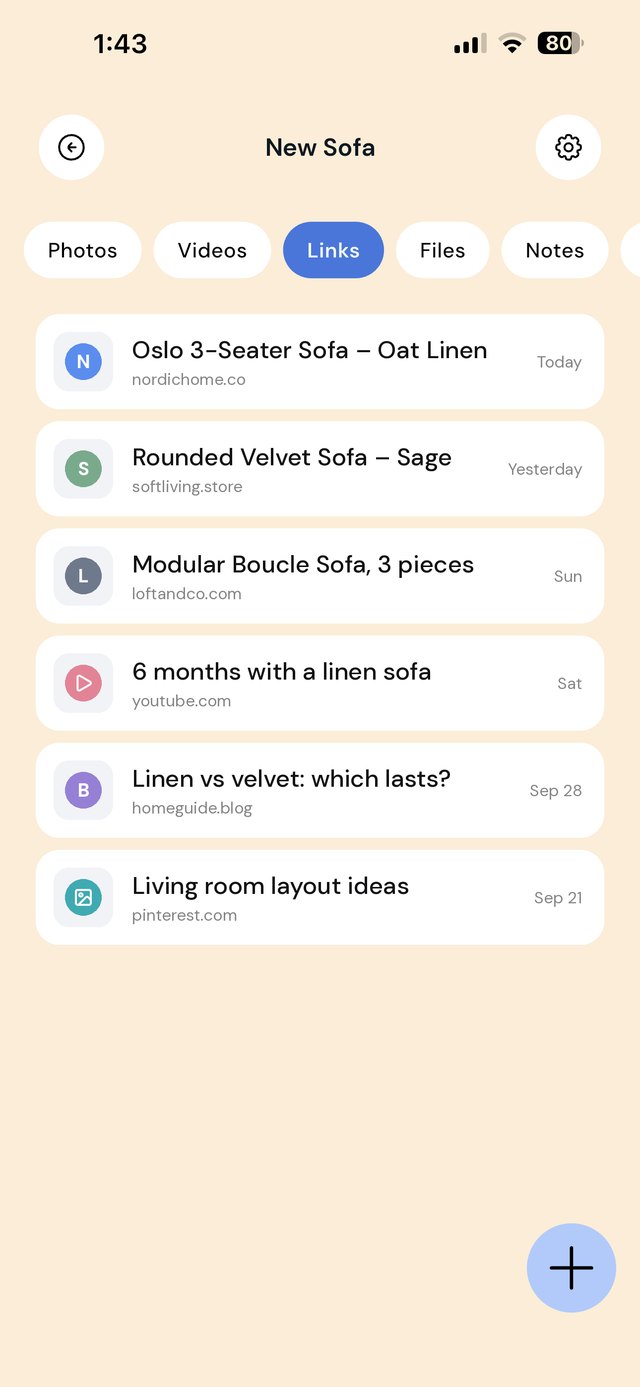
Store wishlists only hold that store's products, and they nudge you to buy. A private folder holds the sofa from one site, the cheaper copy from another, a TikTok review and a screenshot of the price, side by side, with no one tracking what you look at. Organize by occasion and by person, not by shop.
Each folder has a note. Use it for the details that never fit in a store wishlist: shoe and clothing sizes for each person, a room's measurements, a budget, or "the blue one, not the green".
A workflow from "ooh" to "bought it"
| When this happens | Do this in EZ Save |
|---|---|
| You see something you like in a store app or on social media | Share the product link to the right folder. It works from Safari, Chrome, store apps, Instagram and TikTok. |
| You are comparing three versions of the same thing | Save all three to one folder, with a review video or two. Write the price and key difference of each in the note. |
| A friend mentions something they want | Save it straight to their folder in Gift ideas while you remember. |
| You are waiting for a price drop | Save the link to Waiting for a sale and note the price you saw today, so you can tell a real discount from a fake one. |
| You are in a physical store | Photograph the item, the price tag and the label, and save them to the folder with your online options. |
| You buy it | Save the order confirmation, receipt and warranty to Receipts & warranties. Note the return deadline in the folder note. |
Mistakes that make shopping lists useless
Screenshots with no link. A screenshot shows the product but not where it came from. Share the actual link so you can go back to the shop.
One giant "wishlist" folder. A folder with 200 items in it is a graveyard. Split it by person, room or occasion, and clear out things you no longer want.
Forgetting what you paid. Without the price you saw, every "sale" looks good. Write it down in the note when you save the link.
Throwing away the receipt. Returns and warranty claims usually need proof of purchase. Keep it in the Bought folder until the warranty runs out.
On a MacBook? EZ Save has a native Mac app. Drag a product link or order confirmation up to the notch, pick a folder from the panel that drops down, and it’s saved to the same library as your iPhone. Free, on MacBooks with a notch. See it in action →
Questions people ask
Does EZ Save track prices or send price-drop alerts?
Can I share a gift list with family?
Will stores know what I saved?
Can I save from store apps, not just websites?
Why shoppers love EZ Save
- Save product links, photos and notes together
- A folder per person, occasion or project
- Compare options in one place before you buy
- Keep gift ideas private behind Face ID
- Stored in your own iCloud, not our servers
Never lose a good find
Keep every product and gift idea in one private list with EZ Save, free to start.