
Short answer
Photograph the receipt (or save the order email as a PDF) the day you buy, and keep it in a Warranties folder together with the warranty terms and the manual. The US Federal Trade Commission recommends exactly this pairing: save a copy of the warranty, and keep the receipt with it, because the receipt proves when you bought the item and that you are the original owner.
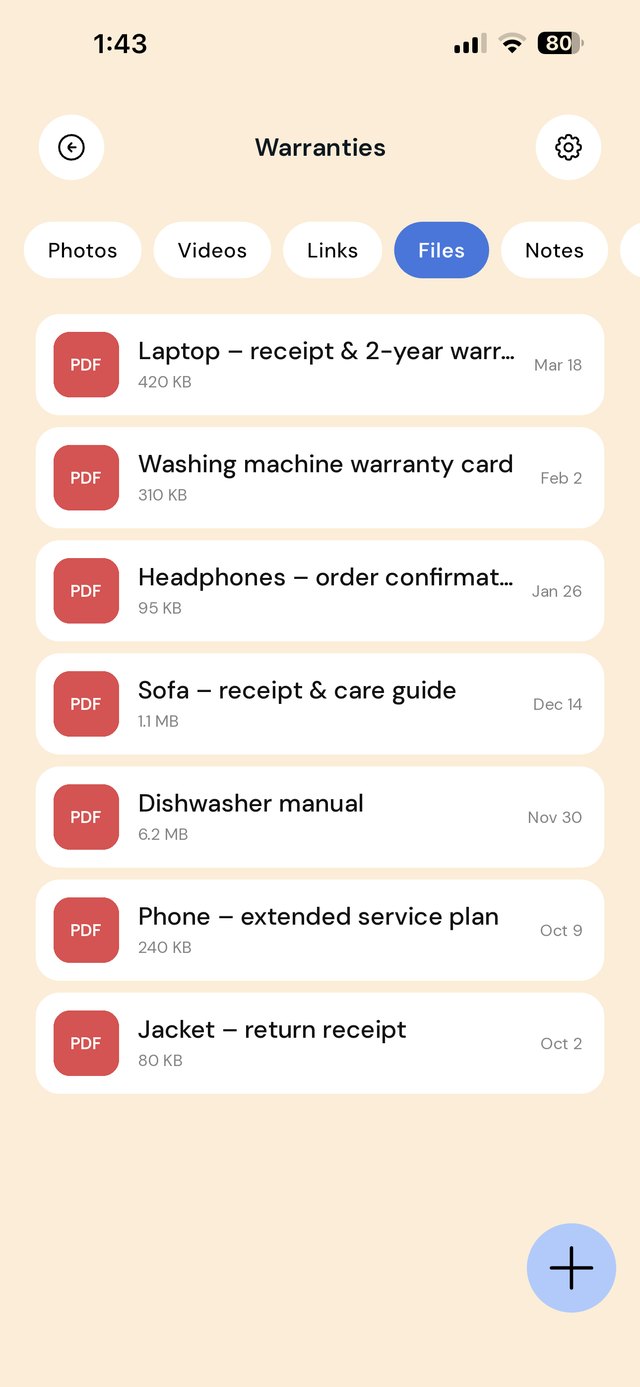
Why receipts go missing
- Thermal paper fades. Many printed receipts are hard to read within months, especially in a warm wallet or car.
- Email receipts get buried. The order confirmation is somewhere in thousands of promotional emails.
- The warranty card is in the box. And the box went out with the recycling.
- The receipt and the warranty are in different places. You need both to make a claim.
A simple folder system
Keep it to two folders. Most people never need more.
Name each item so you can find it in a hurry: "Laptop – receipt & 2-year warranty" beats "IMG_2041". If something is important, add a line to the folder note with the purchase date and when the warranty ends.
What to save for each purchase
| Item | Why you need it | How to save it |
|---|---|---|
| Receipt or order confirmation | Proves the date and that you bought it | Photo of the paper receipt, or share the email as a PDF |
| Warranty terms | Shows what is covered and for how long | Photo of the card, or the PDF or link from the maker's site |
| Serial or model number | Often needed for a claim or repair booking | Photo of the label on the product |
| Manual | Troubleshooting before you claim | Link or PDF from the manufacturer |
Step by step on iPhone
- Paper receipt: take a photo in good light, then open it in Photos, tap Share, choose EZ Save and pick Warranties.
- Email receipt: open the email, use Share or Print › Share to create a PDF, and send it to the same folder.
- Warranty and manual: photograph the card, or share the manufacturer's page or PDF into the folder.
- Optional: add the warranty end date to the folder note and to your calendar.
Your rights may go beyond the warranty. In many countries the law gives you protections that a store's warranty cannot take away. In Australia these are the consumer guarantees explained by the ACCC; in the US, see the FTC's guide to warranties; in the UK, GOV.UK's consumer rights page. This guide is about keeping records, not legal advice.
Keep it from growing
- Once a month, empty Returns of anything past its return window.
- When an item breaks for good or you sell it, delete its records.
- Keep receipts for big purchases longer if you might need them for insurance.
Frequently asked questions
Is a photo of a receipt good enough for a return or warranty claim?
How long should I keep receipts?
Do I need the warranty card to make a claim?
Does EZ Save remind me when a warranty expires?
Can EZ Save read the text on my receipts?
Never hunt for a receipt again
Keep receipts, warranties and manuals together in a private folder on your phone, stored in your own iCloud.