
Your whole wedding, in one place
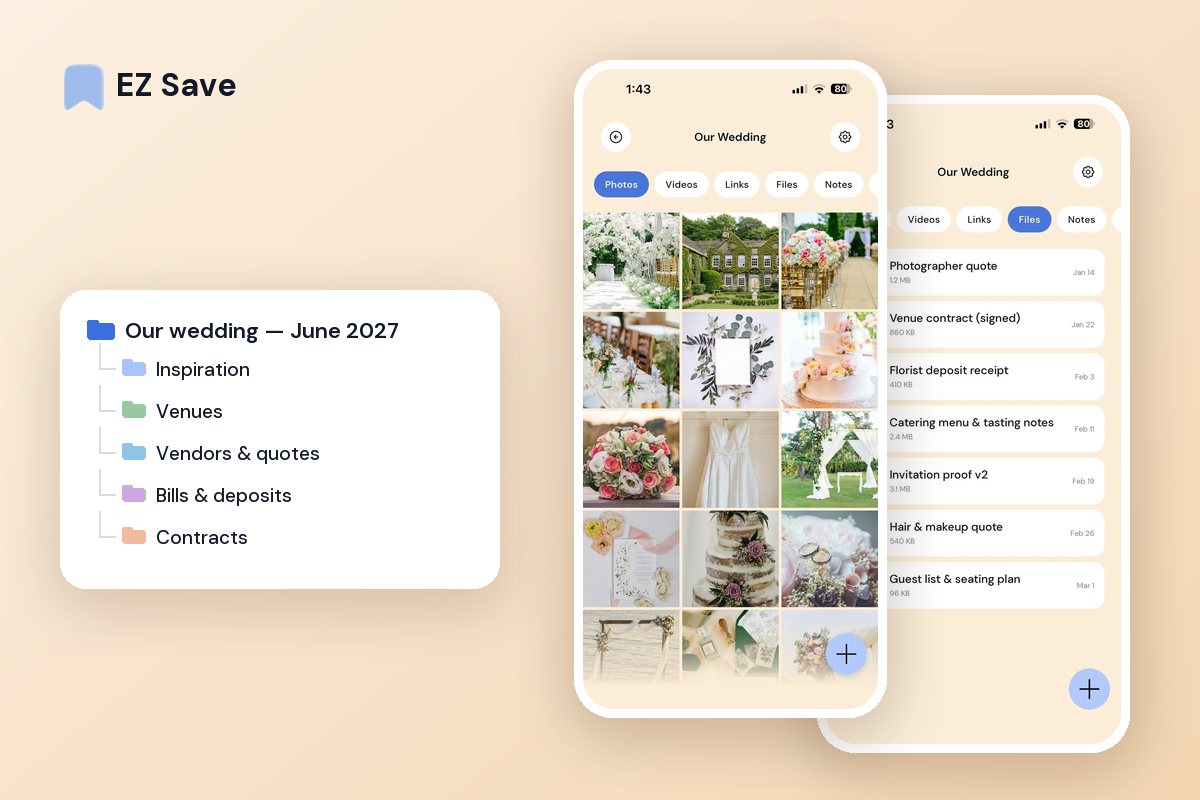
Venues, vendors, inspiration, contracts and guest details — keep every part of planning your day in one private, organized place.
Wedding planning takes over everything
- Inspiration is scattered across reels, screenshots and boards
- Vendor quotes and contracts are buried in email
- You cannot remember which venue had which detail
- Guest lists and notes live in a dozen different apps
- Every decision means digging through your camera roll
A folder for every part of the day
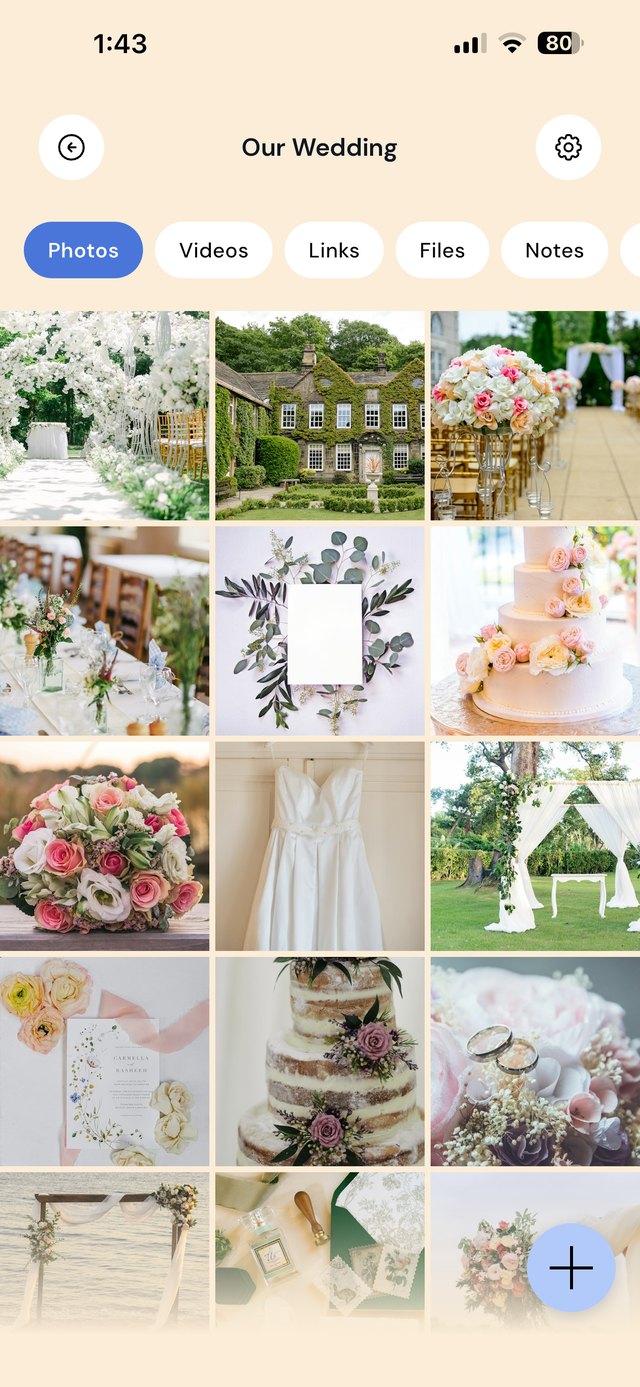
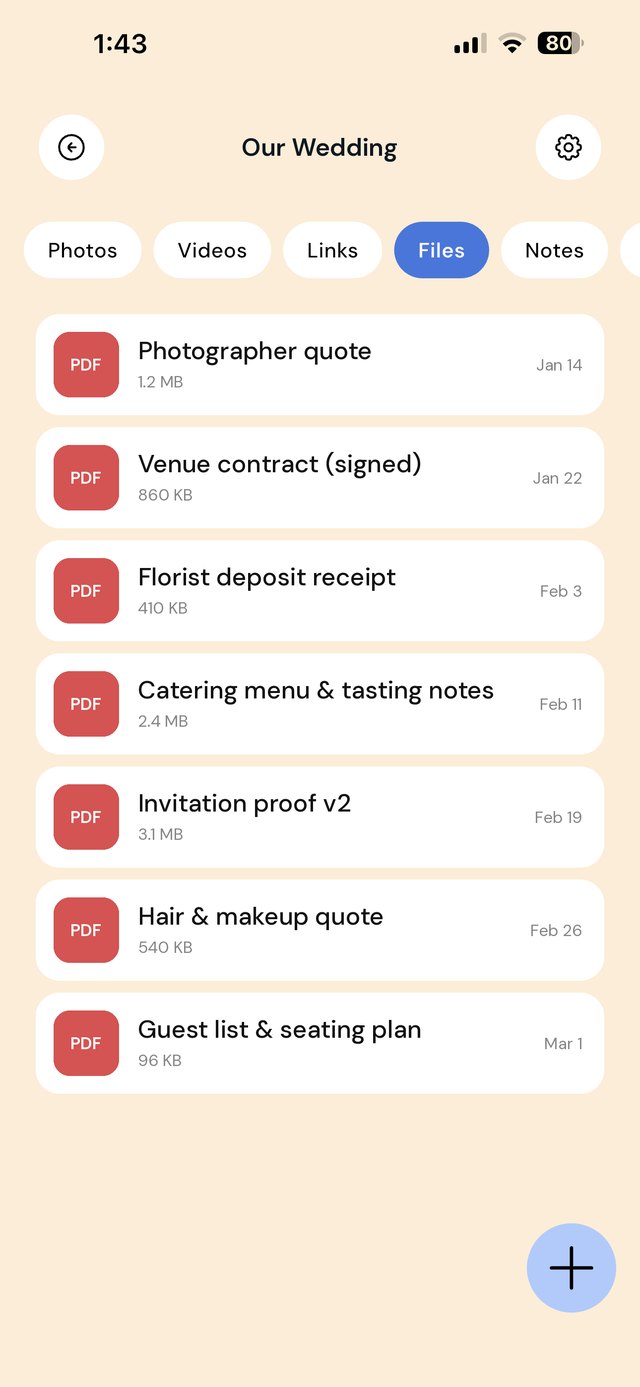
Keep venues, florists, catering, outfits and the guest list in their own folders. Save a vendor's site, a contract PDF or a decor reel straight into the right place, and compare options side by side.
A wedding folder structure that actually holds up
Wedding planning spreads across a dozen apps: inspiration on Pinterest and Instagram, quotes in email, deposits in your banking app, invitation proofs in a designer's PDF, vendor websites in forty browser tabs. Give the wedding one parent folder and a sub-folder for every kind of thing it produces. Each folder holds links, photos, videos, files and a note, so the context sits next to the paperwork.
Keep a note pinned in each vendor folder with the three things you will be asked again and again: the total quoted, what has been paid, and the date the balance is due. You will stop digging through email threads to answer "did we pay the florist yet?"
A workflow from first idea to final balance
| When this happens | Do this in EZ Save |
|---|---|
| You spot a dress, a centerpiece or a venue on Instagram, TikTok or Pinterest | Share it to Inspiration straight from that app. The link is kept, so you can find the creator or shop again later. |
| A vendor emails a quote PDF | Share the attachment from Mail into that vendor's folder. Add the price and what is included to the folder note before you forget. |
| You visit a venue | Take photos of the room, the bathrooms, the parking and the price sheet, and save them to Venues with a note of your gut feel. |
| You pay a deposit | Screenshot the payment confirmation and save it to Bills & deposits. Update the vendor note with the amount and date paid. |
| A contract is signed | Save the signed PDF to Contracts, and copy the cancellation and postponement terms into the vendor note. |
| The designer sends invitation proofs | Save each version to Invitations so you can compare round two against round one, then keep only the approved final. |
| Guests ask for the wedding website or hotel | Keep every shareable link in Website & links so you can copy and paste it in seconds. |
A two-minute weekly check-in
- Open Bills & deposits and check what is due in the next 30 days.
- Move anything from Inspiration you have decided against into the bin, so the folder stays useful.
- Make sure every new quote has its price written in the vendor note.
- Check that every signed contract has its cancellation terms noted.
Mistakes that cost couples time and money
Leaving quotes in email. Quotes get buried under RSVPs and newsletters, and you end up comparing photographers from memory. Pull every quote into one place the day it arrives.
Not keeping deposit receipts. If a vendor cancels or a date moves, the receipt and contract are your evidence. A screenshot in the right folder takes ten seconds.
Losing the original inspiration link. A screenshot of a dress with no link means you cannot find the shop again. Share the post itself, not just a picture of it.
Keeping the only copy of the guest list on one laptop. Save the latest version to the Guests folder so it is on your phone when the caterer calls for final numbers.
On a MacBook? EZ Save has a native Mac app. Drag a vendor quote, inspiration photo or venue link up to the notch, pick a folder from the panel that drops down, and it’s saved to the same library as your iPhone. Free, on MacBooks with a notch. See it in action →
Questions people ask
Can my partner and I share the same wedding folder?
Can I save wedding inspiration from Pinterest and Instagram?
Is EZ Save a wedding budget tracker?
Will I run out of folders on the free plan?
Why couples love EZ Save
- Save inspiration, quotes, contracts and photos together
- A folder per vendor or part of the day
- Keep contracts and documents locked behind Face ID
- Everything in one organized, shareable library
- Private and stored in your own iCloud
Plan the day, not the chaos
Keep your whole wedding organized with EZ Save, free on the App Store.