
Your job search, organized
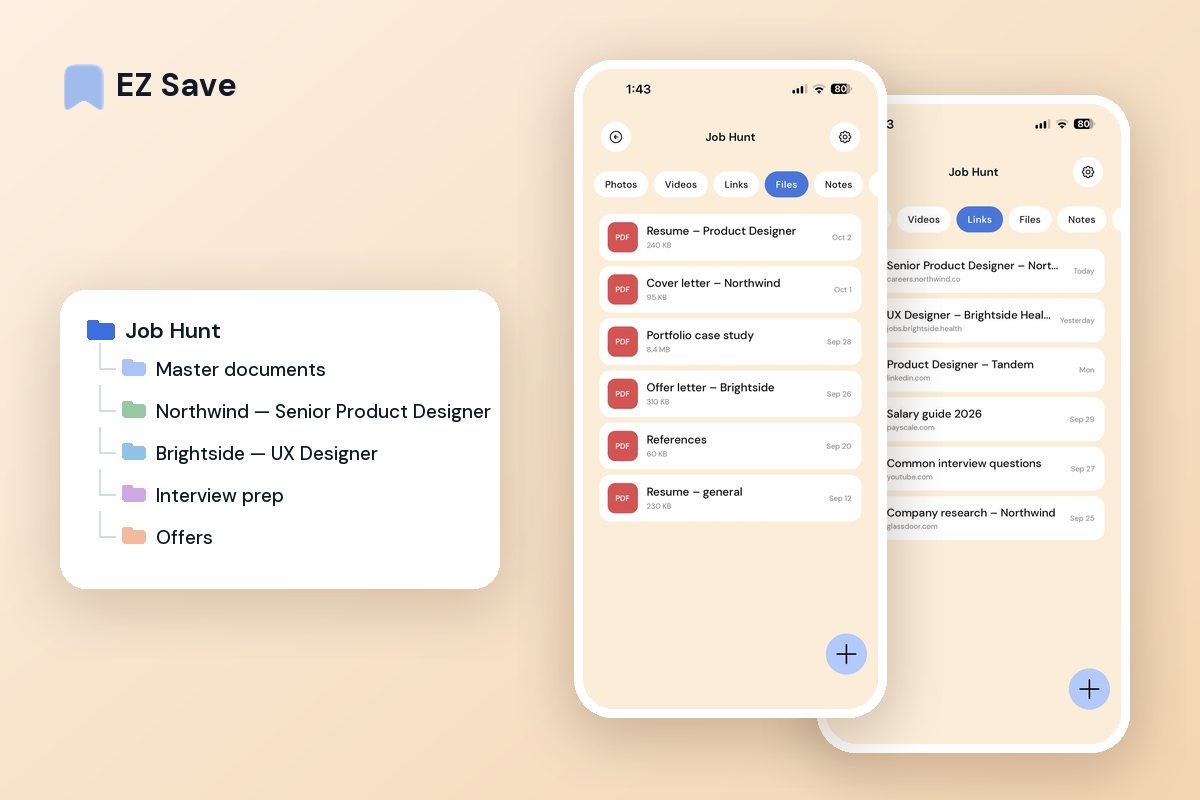
Job links, resume versions, cover letters and notes on every application — keep it all in one tidy, private place so you never lose track of where you have applied.
Job hunting gets chaotic fast
- Job listings vanish before you can apply
- Different resume versions are scattered across Downloads
- You forget which roles you have already applied to
- Cover letters and notes live in five different apps
- Interview details are buried in email
A folder for every application
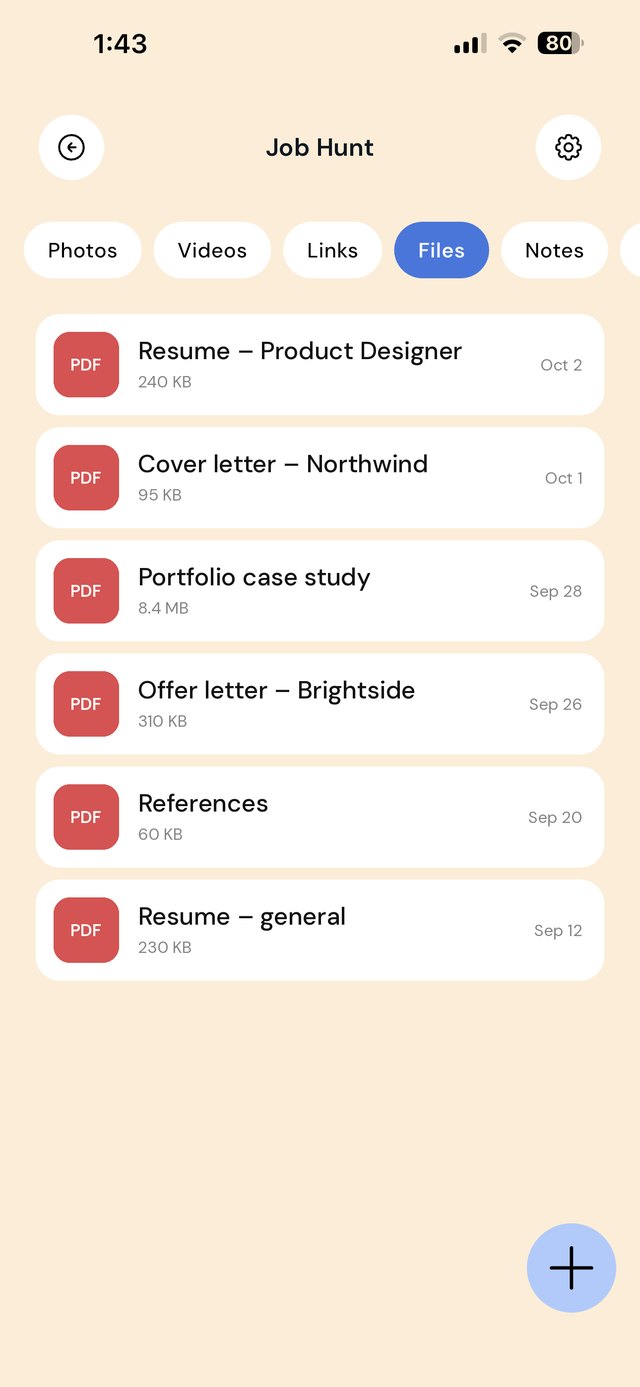
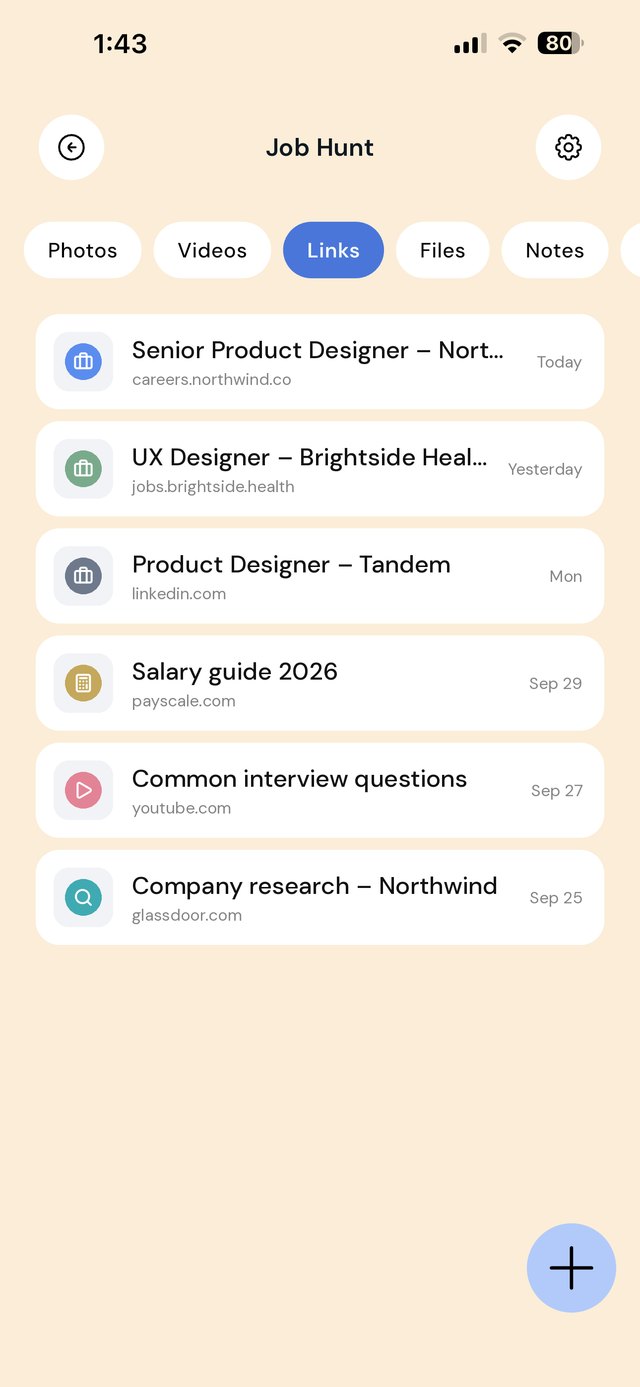
Save the job link, the resume version you sent and your notes into one folder per role. When a recruiter calls, everything about that application is a tap away.
A folder for every application
A job search creates a trail: the listing, the resume version you sent, the cover letter, the recruiter's email, interview times, and a thank-you note. When those live in five apps, it is easy to forget which version went where. One folder per application keeps the whole story together.
In each application folder, keep a note with the date you applied, who you spoke to, and the next step. When a recruiter calls out of the blue, you can see exactly what you sent them.
A workflow from listing to offer
| When this happens | Do this in EZ Save |
|---|---|
| You see a role on a job board or LinkedIn | Share the listing into a new folder named after the company and role. Listings often disappear once a role closes. |
| You tailor your resume | Save that exact version in the application folder, so you know what the interviewer has in front of them. |
| A recruiter emails interview details | Share the email's attachments into the folder and write the time and format in the note. |
| You research the company | Save useful articles, videos and salary data to the folder or to Interview prep. |
| You get an offer | Save the offer letter to Offers and note the deadline to respond. |
| A role is filled or you withdraw | Keep the folder. The notes help if the company contacts you again. |
Mistakes that cost interviews
Sending the wrong resume version. If you tailor resumes, keep each version beside the application it went with.
Not saving the job description. You will want it before the interview, and it is usually gone by then. Save the listing the day you apply.
Forgetting who you spoke to. A one-line note after each call saves an awkward "sorry, who is this?"
Missing an offer deadline. Write response dates in the folder note the moment an offer arrives.
On a MacBook? EZ Save has a native Mac app. Drag a job ad link or your latest CV up to the notch, pick a folder from the panel that drops down, and it’s saved to the same library as your iPhone. Free, on MacBooks with a notch. See it in action →
Questions people ask
Can EZ Save track my job applications?
Can I save job listings from LinkedIn?
Can I send my resume to recruiters from EZ Save?
Can my current employer see my job search?
Why job seekers love EZ Save
- Save job links, PDFs and notes together
- A folder per role keeps applications straight
- Find the resume you sent in seconds
- Keep personal documents private behind Face ID
- Stored in your own iCloud across your devices
Land the role, stay organized
Keep your job search together with EZ Save, free to start.