
Short answer
If everyone ate and drank about the same, split evenly. If one person ordered a lot more, split by percentage or by custom amounts based on what each person ordered, and share the tax and tip in the same proportion. Agree on the method before the bill arrives, and let whoever paid send everyone their share in one message.
The example bill
Four friends, a food and drink subtotal of $80.00, tax of $7.10, and a 20% tip on the pre-tax amount ($16.00). The total is $103.10.
1. Split evenly
Divide the total by the number of people: $103.10 ÷ 4 = $25.775. Money does not divide into half-cents, so three people pay $25.78 and one pays $25.76 (or the person who paid absorbs the cent). Best when everyone shared plates or ordered similar amounts.
2. Split by percentage
Useful when one person clearly had more, or a couple wants to pay as one. Agree the percentages, then apply them to the whole total so tax and tip are shared fairly:
| Person | Share | Pays |
|---|---|---|
| Alex | 40% | $41.24 |
| Sam | 20% | $20.62 |
| Maya | 20% | $20.62 |
| You | 20% | $20.62 |
| Total | 100% | $103.10 |
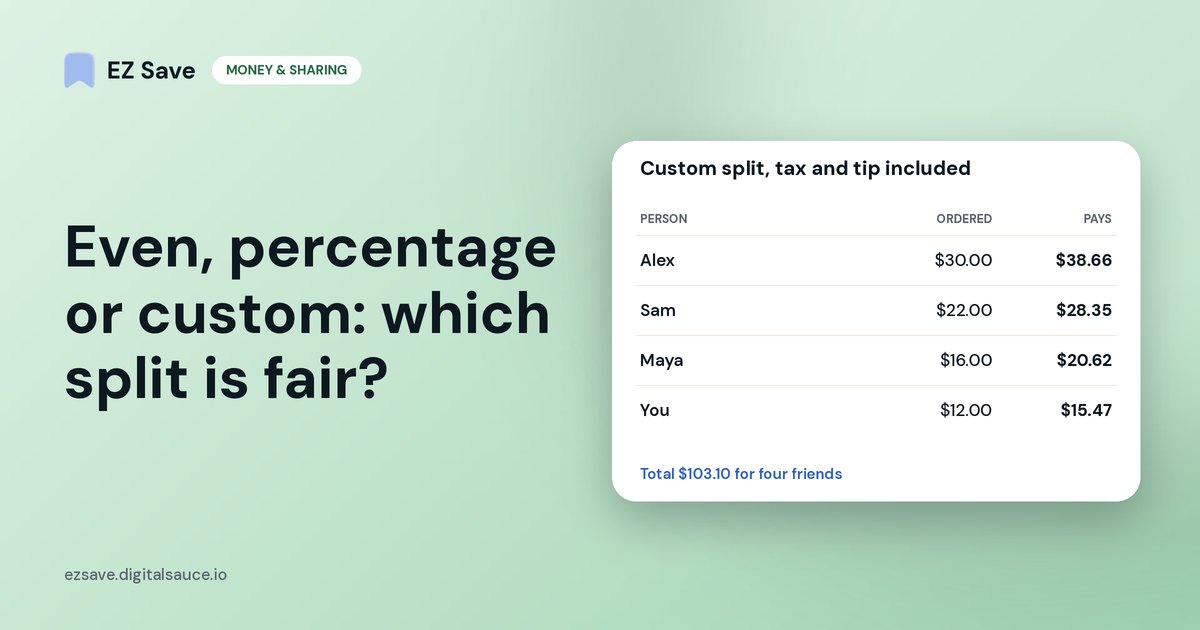
3. Split by what each person ordered (custom amounts)
The most precise method. Add up what each person ordered, then scale it up so everyone also pays their share of tax and tip. Here the total ($103.10) is 1.28875 times the subtotal ($80.00), so each order is multiplied by 1.28875:
| Person | Ordered | Pays (incl. tax & tip) |
|---|---|---|
| Alex | $30.00 | $38.66 |
| Sam | $22.00 | $28.35 |
| Maya | $16.00 | $20.62 |
| You | $12.00 | $15.47 |
| Total | $80.00 | $103.10 |
What Alex pays under each method
Which method is fairest?
- Similar orders, or shared plates: split evenly. It is quickest and nobody feels audited.
- One person had much more (or much less): split by percentage.
- Big differences, like one person not drinking: custom amounts by what each person ordered.
- Whatever you choose: include tax and tip in everyone's share, and agree before you order if you can.
Tipping customs vary: a 15–20% tip is expected in the US, while in Australia and much of Europe tipping is smaller or optional. Use whatever is normal where you are eating.
Getting paid back without chasing
- Whoever pays keeps the receipt (a photo is enough).
- Work out each share using one of the methods above.
- Send one message to the group with each person's amount.
- Keep track of who has paid, so you are not guessing a week later.
New in EZ Save: share a photo of a bill or receipt and EZ Save spots it automatically, reads the total on your iPhone or iPad, and splits it evenly, by percentage or by custom amounts. Tick people off as they pay, and settle up several bills at once. Friends don't need the app. See how it works.
On a MacBook? EZ Save has a native Mac app. Drag a restaurant’s menu link or booking confirmation up to the notch, pick a folder from the panel that drops down, and it’s saved to the same library as your iPhone. Free, on MacBooks with a notch. See it in action →
Frequently asked questions
How do you split a bill evenly with tax and tip?
How do you split a bill when someone ordered more?
Should tip be split by what each person ordered?
Is there an app that splits a bill from a photo of the receipt?
Keep every bill in one place
Save receipts, bookings and photos into folders with EZ Save today. Bill splitting from a photo is free.