
Snap a receipt. We’ll split it.
Share a photo of a bill and EZ Save reads the total on your iPhone or iPad, splits it evenly, by percentage or by custom amounts, and tracks who has paid. Your friends don't need the app.
Someone always ends up chasing everyone
- You paid for the table and now have to work out who owes what
- The receipt is lost before anyone pays you back
- Splitting apps make everyone sign up first
- After a trip, nobody remembers who paid for which dinner
- The group chat is full of "how much do I owe you?"
Every bill, split and filed with the trip
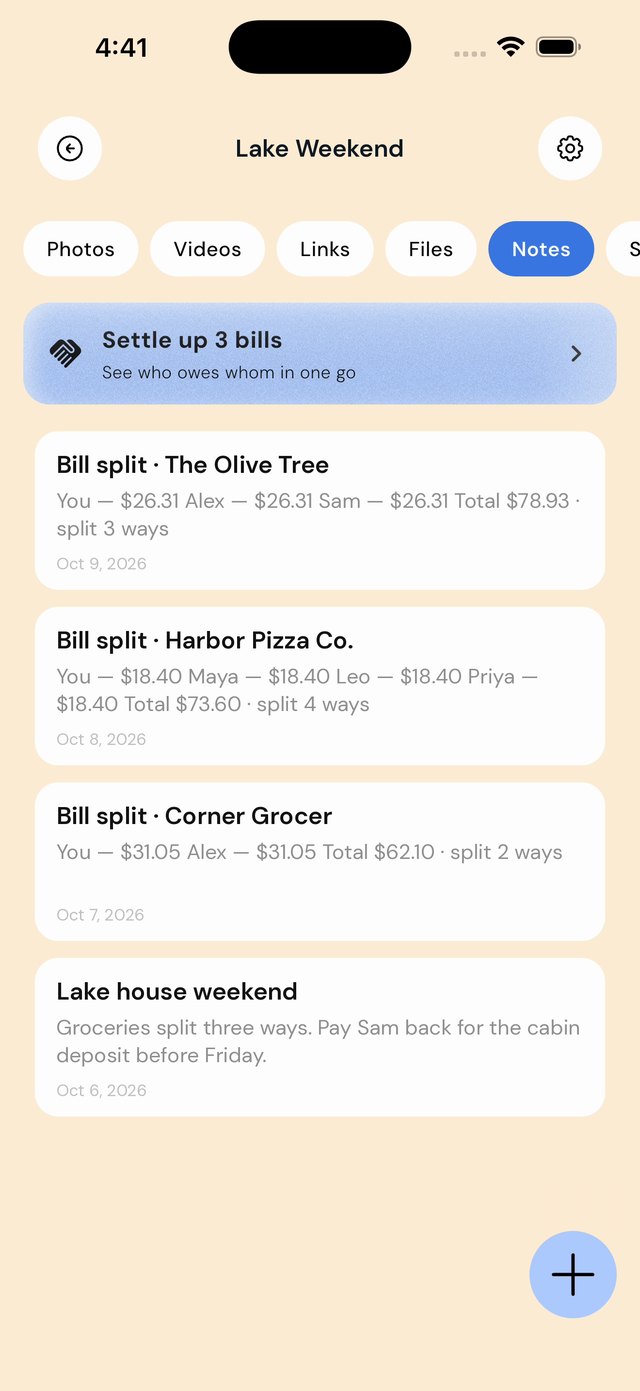
Each split is saved as a note in the folder you choose, next to the receipt photo, the bookings and the photos from that weekend. A Settle up card works out who pays whom across every bill in the folder.
How it works
| When this happens | Do this in EZ Save |
|---|---|
| You pay for dinner | Photograph the receipt and share it to the trip or Dinners folder. EZ Save recognizes it as a bill automatically and reads the total. |
| You know who was there | Add the people you are splitting with, and choose an even split, percentages, or custom amounts for each person. |
| You want everyone to pay you back | Share the summary to the group chat. Nobody needs to install anything. |
| Someone pays you | Tick them off, so you always know who is still outstanding. |
| The trip ends with several bills | Open Settle up to see who pays whom across all of them, and save it as a note. |
Three ways to split
- Evenly: everyone pays the same share. Best for shared plates and group trips.
- By percentage: for couples paying as one, or when one person had a lot more.
- Custom amounts: type what each person owes, for example based on what they ordered.
Not sure which to use? Our guide to splitting a restaurant bill fairly walks through all three with tax and tip.
Good to know
It does not move money. Pay each other however you usually do, then tick people off.
It does not assign items for you. For item-by-item splits, use custom amounts.
iPhone and iPad only for now. Bill splitting is on iPhone and iPad; the rest of EZ Save also works on Android and Mac.
Questions people ask
Is there an app that splits a bill from a photo of the receipt?
Do my friends need EZ Save?
Is my receipt uploaded anywhere?
Can I split unevenly?
Can I settle up several bills at once?
Does EZ Save handle the payments?
Does it work on Android or Mac?
Split the next bill in seconds
Bill splitting is free in EZ Save, read on your device and saved in your own iCloud.