
Short answer
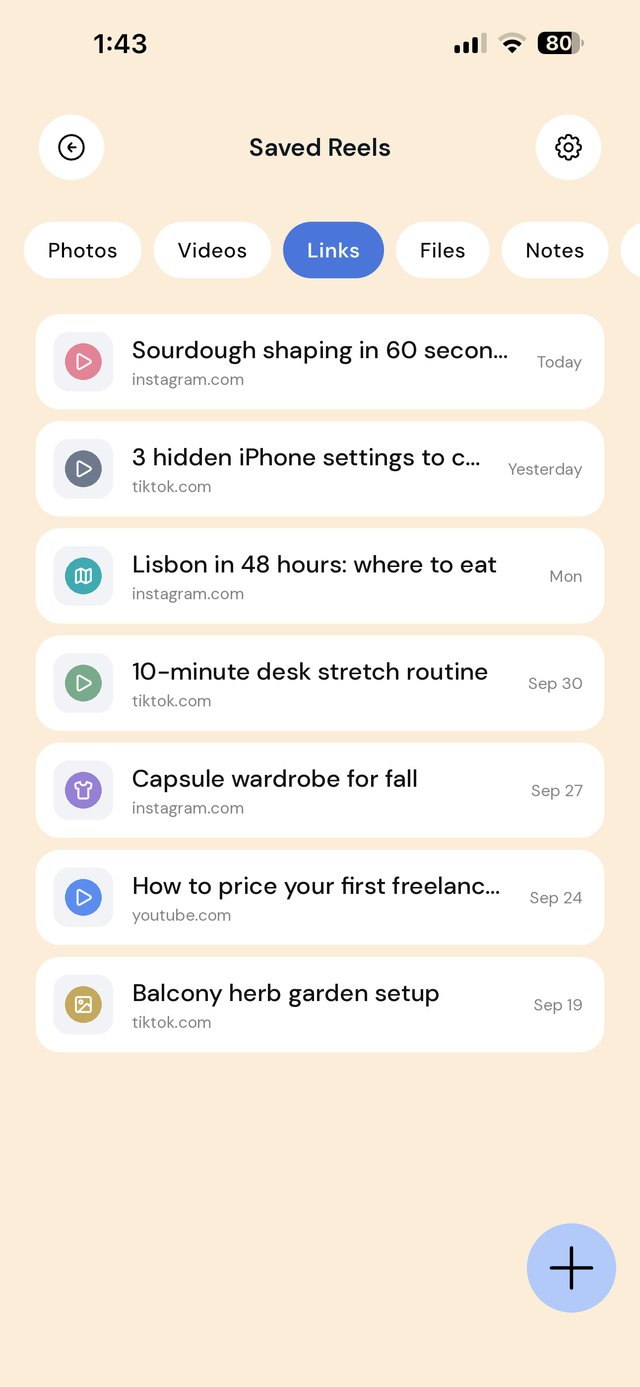
Instagram Collections and TikTok Favorites each organize saves inside their own app only, so there is no built-in way to see them together. To keep them in one place, use each post's Share button to send the link to a save app such as EZ Save, and file it into a folder by topic — Recipes, Travel, Workouts — instead of by platform.
What Instagram and TikTok already give you
Both apps have decent built-in saving, and it is worth using before you add anything else:
- Instagram: tap the bookmark under a post to save it. Tap and hold the bookmark to save it straight into a named collection. Your saves and collections are private and live in the Saved section of your profile.
- TikTok: tap the bookmark (Favorites) button on a video. In your profile, the Favorites tab lets you group saved videos into collections.
If you only use one of these apps and only save a handful of things, the built-in collections may be all you need.
Where in-app saves fall short
- Two apps, two lists. A recipe you saved on TikTok and a similar one on Instagram can never sit side by side.
- Posts can vanish. If a creator deletes a post or makes their account private, it disappears from your saves, often without you noticing.
- No notes. You cannot write why you saved something, so months later the reason is gone.
- Everything else is elsewhere. The recipe reel is in Instagram, the shopping list is in Notes, and the blog version of the recipe is in Safari.
How to move saves into one library, step by step
- Open a post or video you want to keep in Instagram or TikTok.
- Tap the Share button (the paper plane on Instagram, the arrow on TikTok).
- Choose EZ Save from the share sheet. If you do not see it, tap More and switch it on.
- Pick a folder by topic, such as Recipes or Travel ideas, and save.
- Optional: add a line to the folder note about why you saved it.
Do the same from YouTube, Pinterest, X or a browser. The folder does not care where the link came from, which is the point.
A folder setup that works
Organize by what you will do with a save, not by the app it came from. A starting set for most people:
Options compared
| Approach | Works across apps | Notes beside saves | Survives a deleted post |
|---|---|---|---|
| Instagram Collections / TikTok Favorites | ✗ | ✗ | ✗ |
| Screenshots in your camera roll | ✓ | ✗ | The image, but no link |
| Saved link in EZ Save | ✓ | ✓ | Your title and note stay; the post itself will not play |
A tip if a post really matters, such as a recipe with the ingredients only in the caption: save the link and a screenshot of the caption into the same folder. Then you have both the source and the content.
A note on downloading videos
Downloading other people's videos can go against a platform's terms and the creator's copyright. Saving the link keeps you in the clear and still credits the creator. Your own videos are yours to save as files.
Frequently asked questions
Can I see my Instagram and TikTok saves in one app?
Are Instagram saved posts private?
Why did a post disappear from my saved collection?
Can I move all my existing saved posts at once?
Does EZ Save download the video?
Your saves, finally in one place
Send posts from Instagram, TikTok, YouTube and anywhere else into private folders on your phone.