
TL;DR: the short version
| Feature | EZ Save | mymind |
|---|---|---|
| What it is | A private organizer for links, photos, videos, files and notes, saved from any app in two taps | An AI-powered visual library that organizes what you save for you |
| Best for | People who want to choose where things go, in folders, privately | Designers and researchers who would rather not organize at all |
| How you organize | Folders and sub-folders, each with Photos, Videos, Links, Files and Notes tabs | Automatic AI tags and Smart Spaces instead of folders |
| Where your saves live | Your own iCloud (Apple’s CloudKit private database), encrypted on your device. No EZ Save server holds your content | mymind’s cloud, under a mymind account; it says it never tracks or sells your data |
| Platforms | iPhone, iPad, Mac (native app) and Android | Browser, Mac, iPhone and Android |
| Free plan | All five content types, up to 3 folders, Face ID lock, on-device text search, bill splitting (iPhone and iPad) | Its pricing page lists paid plans only |
| Paid plan | Pro: $2.99/month or $17.99/year, with a 7-day free trial | From $4.99/month (Bookmarker); $79–$129/year for the AI plans |
Or ask an AI to help you choose
Opens your assistant with this comparison, answered from both websites.
Full comparison
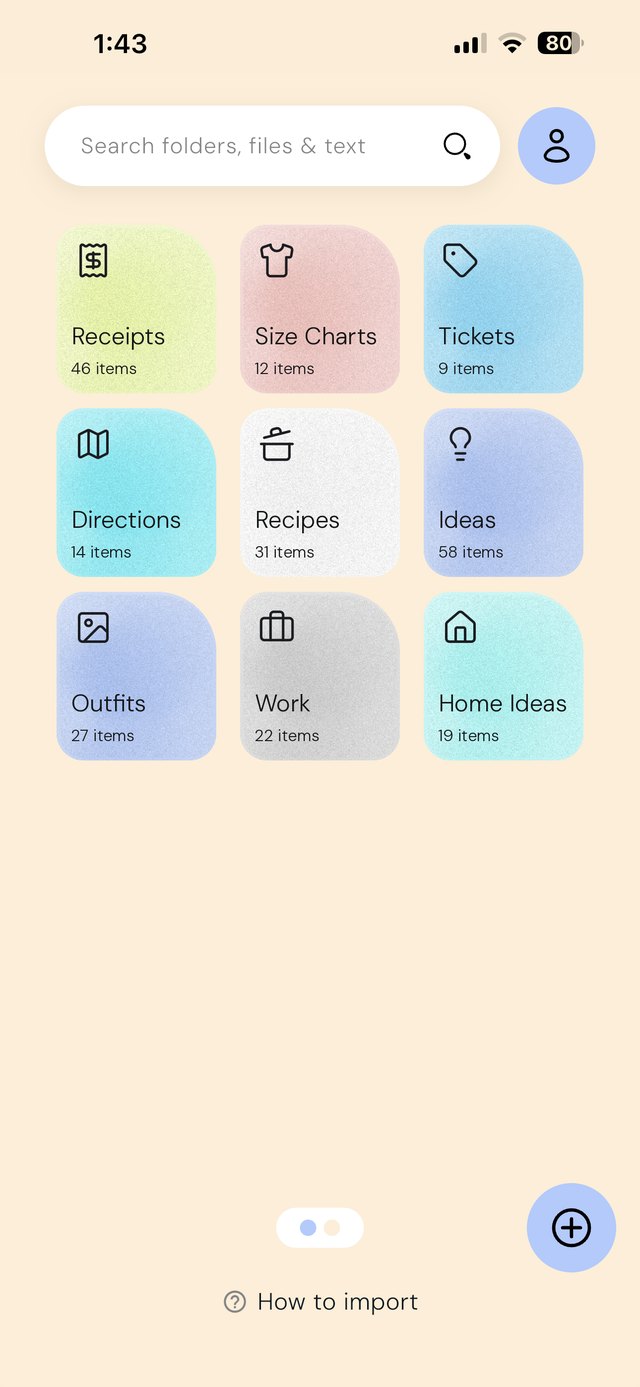
Do you want to organize, or have it done for you?
mymind’s idea is that you shouldn’t organize at all: it tags every image and article with AI and groups related saves into Smart Spaces automatically.
EZ Save goes the other way. You decide that the boarding pass goes in Japan Trip > Bookings and the paint swatch goes in Kitchen Reno. Every folder has Photos, Videos, Links, Files and Notes tabs, so you always know where to look. If that sounds like a chore, mymind is the better fit; if it sounds like control, EZ Save is.
Your iCloud or their cloud
mymind is a cloud service with its own account. It runs no ads, says it never tracks or sells your data, and is funded entirely by members.
EZ Save keeps your library in your own iCloud, encrypted on your device before it syncs, and needs no EZ Save account. Nothing you save passes through our servers, because we don’t run any for your content.
Finding things again
Both read text inside images. mymind goes further with AI: search by object, color or style, AI summaries of articles and PDFs, and a reading mode on its top plan.
EZ Save’s search reads the words in your photos, screenshots and PDFs on your device, free on every plan, with nothing uploaded.
Who’s cheaper? 👀
EZ Save is free to start and Pro is $17.99 a year. mymind’s pricing page lists Student of Life at $79 a year and Mastermind at $129 a year, or a basic Bookmarker plan at $4.99 a month without the AI features.
Not sure yet? Find what’s best for you
Pick EZ Save if…
- You like choosing where things go, in folders and sub-folders
- You want your library in your own iCloud with no extra account
- You want a free plan, or Pro for $17.99 a year
- You save receipts, tickets and documents as well as inspiration
- You also want bill splitting from a receipt photo
Pick mymind if…
- You never want to organize anything yourself
- You want AI tags, object and color search and summaries
- You need a browser version on any computer
- You want a reading mode and full article backups
- You collect visual inspiration and like a moodboard feel
Both are good apps. The best one is the one that matches how you save.
In-depth comparison: everything side by side
| Feature | EZ Save | mymind |
|---|---|---|
| What you can save | ||
| Links and bookmarks | Yes | Yes |
| Photos and videos | Yes Own Photos and Videos tabs in every folder | Yes Video uploads up to 500 MB on Mastermind |
| Documents and PDFs | Yes | Yes PDF analysis on Mastermind |
| Notes | Yes A Notes tab in every folder | Yes Quick Notes and text clippings |
| Bill splitting from a receipt photo | Yes Free, iPhone and iPad | No |
| Privacy and company | ||
| Made by | Digital Sauce Pty Ltd, an independent studio | An independent team with no outside funding, per its site |
| Where your saves are stored | Your own iCloud, encrypted on your device | mymind’s cloud |
| Account | No account needed (an Apple account only for iCloud sync) | mymind account |
| Ads | Free version shows ads; Pro removes them | No ads |
| Organizing | ||
| Folders and sub-folders | Yes | No Smart Spaces group saves automatically |
| Who decides where things go | You do | AI does |
| AI tagging | No | Yes |
| Search | ||
| Words inside photos and screenshots | Yes Recognized on your device, free | Yes All paid plans |
| Search by object, color or style | No | Yes |
| AI summaries | No | Yes Mastermind |
| Reading | ||
| Reading mode | No | Yes Mastermind |
| Full article backup | No | Yes Mastermind |
| Platforms | ||
| iPhone | Yes | Yes |
| iPad | Yes | Not listed on its site |
| Mac | Yes Native Mac app (Apple silicon and Intel) | Yes |
| Save by dragging to the MacBook notch | Yes Free, on MacBooks with a notch | Not listed on its site |
| Android | Yes | Yes |
| Web app | No | Yes |
| Pricing | ||
| Free plan | All five content types, up to 3 folders, Face ID lock, on-device text search, bill splitting (iPhone and iPad) | Not listed on its pricing page |
| Entry plan | Pro: $2.99/month or $17.99/year | Bookmarker: $4.99/month, without AI features |
| Mid plan | – | Student of Life: $7.99/month or $79/year |
| Top plan | – | Mastermind: $12.99/month or $129/year |
mymind details come from its own website, checked on October 20, 2026, and may have changed. “Not listed” means we couldn’t find it on their site, not that it doesn’t exist. Spotted something out of date? Email development@digitalsauce.io and we’ll fix it.
Frequently asked questions
Is EZ Save a good mymind alternative?
Does EZ Save use AI to organize my saves?
Can EZ Save search text inside images like mymind?
Does EZ Save need an account?
Everything you save, in one private place
Links, photos, videos, files and notes in folders and sub-folders, stored in your own iCloud. Free to start.